e-Aadhaar Password and How to Print Your Aadhaar Card at Real Size
Find your e-Aadhaar PDF password, download the PDF from UIDAI, and print the front and back of your Aadhaar at real card size on one A4 page. Free, no upload.

On this page
You downloaded your e-Aadhaar, it asks for a password, and once it finally opens, the card is printed huge on a full A4 page with lots of text around it. This guide fixes both problems. You will learn the e-Aadhaar password format, where to download the PDF, and how to print the front and back of the card at its real size, ready to cut and laminate.
Quick answer: the e-Aadhaar password is the first 4 letters of your name in CAPITAL letters + your year of birth. Example: RAHUL, born 1990 → RAHU1990. To print it at card size, open Aadhaar Card Print, add the PDF, type the password and download the ready-to-print page.
What is the e-Aadhaar PDF password?
UIDAI protects every e-Aadhaar PDF with a password so that nobody can read it if the file is forwarded or lost. The password is made of two parts:
- The first four letters of your name, exactly as printed on your Aadhaar, in CAPITAL letters.
- Your year of birth in four digits (YYYY), not the full date.
| Name on Aadhaar | Year of birth | Password |
|---|---|---|
| Rahul Verma | 1990 | RAHU1990 |
| Suresh Sharma | 1985 | SURE1985 |
| Jia | 1999 | JIA1999 |
| Priyanka Kumari | 2001 | PRIY2001 |
Special cases
- Name shorter than four letters: use the whole name in capitals, then the year. "Jia" born in 1999 becomes JIA1999.
- Initials with dots: the dots usually count as characters, so "P.K. Bhatia" born 1993 becomes P.K.1993.
- Capital letters matter. rahu1990 will not open the file; RAHU1990 will.
- Year, not date. Only the year of birth is used, never the day or month.
The same password works for the PDF from the website and from the mAadhaar app, and you can't change it.
How to download your e-Aadhaar PDF
You need the mobile number linked to your Aadhaar, because the download is confirmed with an OTP.
- Open the official myAadhaar portal (myaadhaar.uidai.gov.in) and choose Download Aadhaar.
- Enter your 12-digit Aadhaar number, your 16-digit Virtual ID (VID) or your enrolment ID.
- Type the captcha and request the OTP on your registered mobile number.
- Choose whether you want a masked Aadhaar (only the last 4 digits of the number are visible) or the regular one.
- Enter the OTP and download the PDF.
Only download from the official UIDAI portal or the mAadhaar app. Websites that ask for your Aadhaar number and OTP to "download it for you" are not safe.
Regular or masked Aadhaar?
A masked Aadhaar hides the first 8 digits of your Aadhaar number. It is a good choice when you only need to show proof of identity, for example at a hotel. Some services, such as certain bank or government forms, still ask for the full number, so keep both.
How to print the Aadhaar card at real size
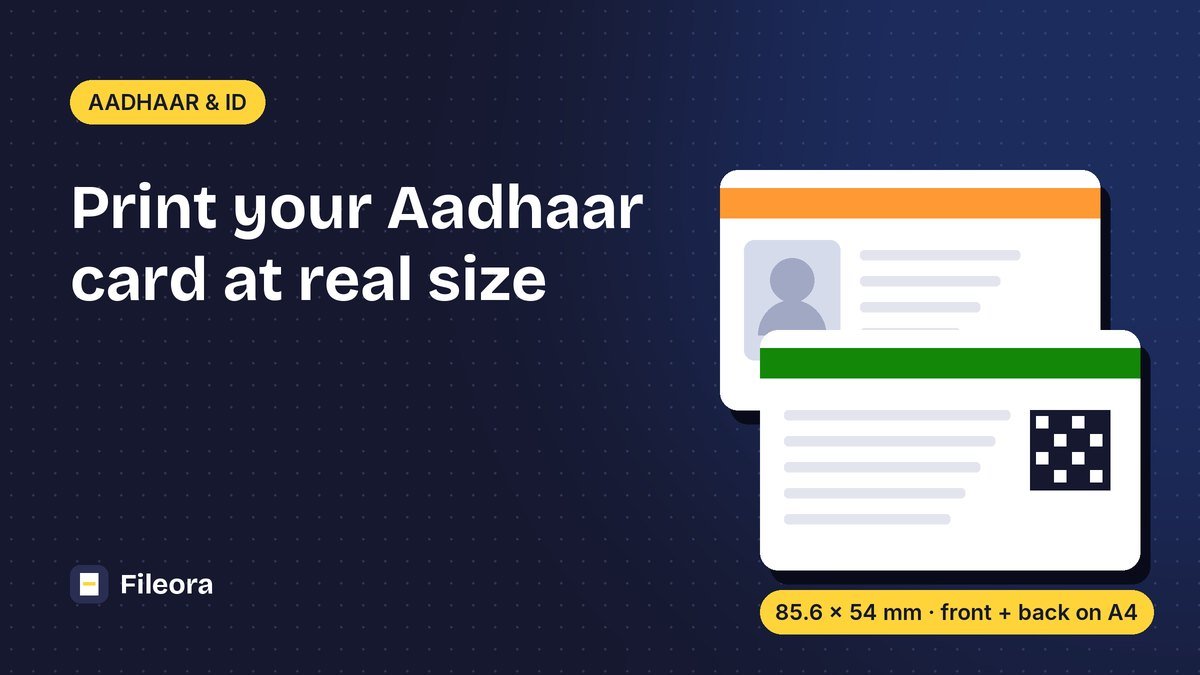
The real Aadhaar card is the size of a debit card: 85.6 × 54 mm. Printing the full PDF on A4 makes it far bigger. Here is how to get a correct, card-sized print of the front and back on one page.
- Open the free Aadhaar Card Print tool.
- Drop your e-Aadhaar PDF into the box, or tap the Choose button on your phone.
- Type your e-Aadhaar password (for example RAHU1990). The page appears straight away.
- Two boxes show the front and the back of the card. If your PDF looks different, drag the boxes so they cover each side of the card exactly.
- Choose Side by side or One above the other, and how many copies you want on the page (1 to 4).
- Press Create print page and download the PDF.
Front and back on one A4 page, with cut lines. Your PDF never leaves your device.
Printer settings that keep the real size
Most "my Aadhaar printed too small" problems come from the print dialog shrinking the page. Use these settings:
| Setting | Choose |
|---|---|
| Scale | 100% or Actual size |
| Fit to page / Shrink to fit | Off |
| Paper size | A4 |
| Quality | High or Best |
| Paper | 250–300 gsm card paper or glossy photo paper |
After printing, measure the card: it should be about 8.6 cm wide. Cut along the dashed lines, fold or stick the back behind the front, and laminate it if you like.
Have only photos of the card?
If you have photos or scans of the front and back instead of the PDF, add both pictures to the same tool. It places each picture at card size on one page. For other cards, such as a PAN card, voter ID or driving licence, use ID Card Print.
Is a printed e-Aadhaar valid?
Yes. UIDAI treats the downloaded e-Aadhaar as equally valid as the Aadhaar letter sent by post, and a print of it is accepted in most places that ask for a copy. If you would rather carry a durable card, you can order the official Aadhaar PVC card from the myAadhaar portal or the mAadhaar app. Since 1 January 2026 it costs ₹75, which includes taxes and Speed Post delivery to the address on your Aadhaar.
Keep your Aadhaar private
- Aadhaar Card Print runs completely in your browser: the PDF and your password are never uploaded to any server.
- On a shared or cyber-café computer, delete the downloaded PDF and empty the Downloads folder when you are done.
- Share a masked Aadhaar whenever the full number is not required.
- If you need to send the PDF without a password, use Unlock PDF only for your own file, and delete the unlocked copy afterwards.
Frequently asked questions
What is the password of the Aadhaar card PDF?
The first four letters of your name in capital letters followed by your year of birth, for example RAHU1990 for Rahul born in 1990.
My name has only three letters. What is my password?
Use your full name in capitals and your year of birth. For "Jia" born in 1999 the password is JIA1999.
Why does my e-Aadhaar password not work?
Check that the letters are in CAPITALS, that you used the year of birth (not the full date), and that the name is spelled exactly as on your Aadhaar. If it still fails, download the PDF again from the official portal.
How do I print Aadhaar card size on A4 paper?
Use Aadhaar Card Print to put the front and back at 85.6 × 54 mm on one A4 page, then print at 100% scale with "Fit to page" switched off.
Is it safe to use an online tool for my Aadhaar?
Only use tools that process the file on your device. Fileora's Aadhaar Card Print never uploads the PDF or the password.
How much does the Aadhaar PVC card cost?
₹75 including taxes and delivery, ordered from the myAadhaar portal or the mAadhaar app (fee in effect since 1 January 2026).
Tools used in this guide
Free, no sign-up. Browser tools never upload your file.
Aadhaar Card Print
Put the front and back of your e-Aadhaar on one A4 page at real card size, ready to print and cut.
ID Card Print
Print both sides of a voter ID, driving licence, PAN or any card on one page at real card size.