Exam Form Photo and Signature Size: Resize to 20–50 KB (IBPS, SSC, UPSC)
Photo and signature sizes for IBPS, RBI, SSC and UPSC forms, and how to resize a photo to 20–50 KB and a signature to 10–20 KB online, free and without uploading.

On this page
Online exam forms are strict about photos and signatures. A photo that is 52 KB instead of 50 KB, or 210 pixels wide instead of 200, can be rejected, and some candidates only find out when the admit card doesn't come. This guide lists the common size rules and shows how to get your photo and signature exactly right in under a minute.
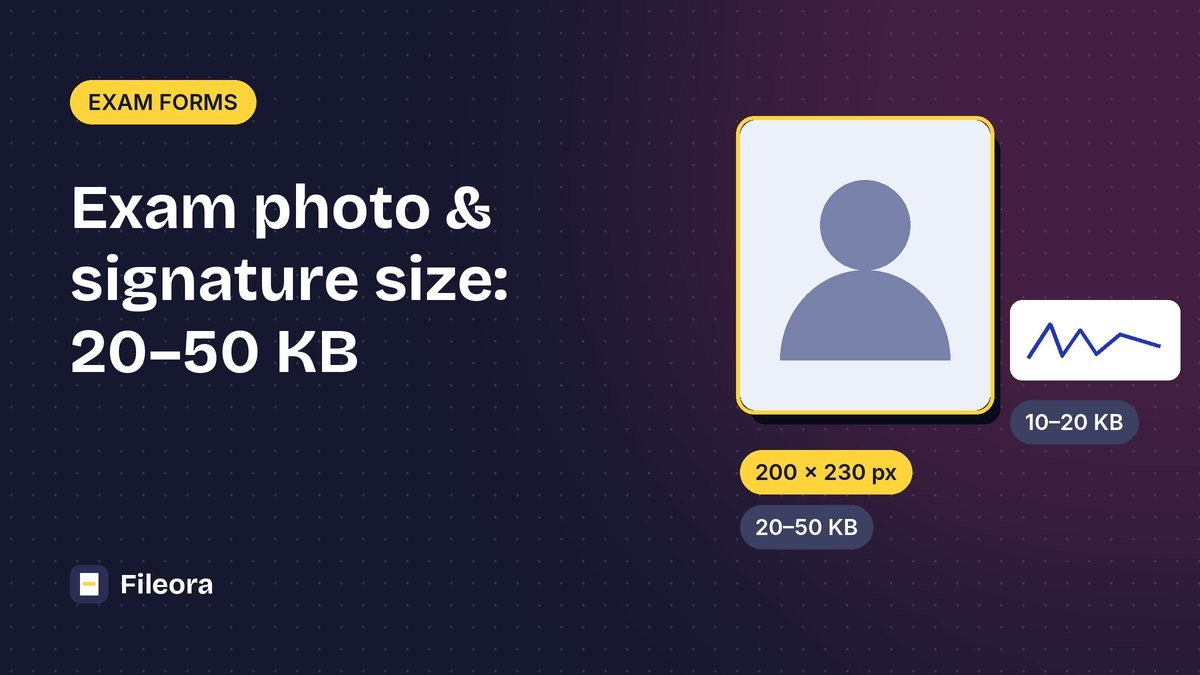
Quick answer: open the Exam Photo & Signature Resizer, choose Photo (200 × 230 px, 20–50 KB) or Signature (140 × 60 px, 10–20 KB), add your picture and download. For other exams, choose Custom and type the sizes from the notification.
Photo and signature sizes by exam
Rules change from year to year, and every notification has the final word. Use this table as a starting point and always compare it with the official notification for your exam (checked October 2026).
| Exam | Upload | Size in pixels | File size | Notes |
|---|---|---|---|---|
| IBPS, RBI, SBI and most bank exams | Photo | 200 × 230 px | 20–50 KB | JPG, recent colour photo, light background |
| Signature | 140 × 60 px | 10–20 KB | Black ink on white paper, not in capital letters | |
| Left thumb impression | 240 × 240 px | 20–50 KB | Blue or black ink on white paper | |
| Handwritten declaration | 800 × 400 px | 50–100 KB | Your own handwriting, black ink, not in capital letters | |
| SSC (CGL, CHSL, MTS and others) | Photo | Captured live | — | Taken through the webcam or the SSC app during the application; old photos are not accepted; no cap, glasses or mask |
| Signature | about 4.0 × 2.0 cm | 10–20 KB | JPG, black or blue ink, clear and not blurred | |
| UPSC | Photo | — | 20–200 KB | JPG, plain white background, face covering about 75% of the photo |
| Signature | — | 20–100 KB | Sign three times, one below the other, on white paper, and upload as one image |
Important for SSC: because the photo is taken live inside the application, you can't upload an edited photo. You still need to resize your signature to 10–20 KB.
How to resize your photo to 20–50 KB
- Open the free Exam Photo & Signature Resizer.
- Choose Photo. The tool fills in 200 × 230 px and 20–50 KB. For a different exam, choose Custom and type the width, height and file size from the notification.
- Add your photo. On a phone, you can pick it from the gallery.
- Choose Fill (crop edges) to fill the frame, and pick which part to keep (usually the centre or top). Choose Fit (white edges) if you don't want anything cut off.
- Press Resize for the form and check the result: it shows the exact pixel size and file size, for example "200 × 230 px, 34 KB (allowed 20–50 KB)".
- Download the JPG and upload it to the form.
Exact pixels and KB for IBPS, RBI, SBI, UPSC and custom sizes. Nothing is uploaded.
If the result would be smaller than the minimum (for example under 20 KB), the tool pads the file so that it still meets the minimum, without changing how it looks.
How to resize your signature to 10–20 KB
- Sign on plain white paper with a black pen (blue is also accepted by some exams). Sign a little larger than usual.
- Take a photo in good light, straight from above, with no shadow.
- In the resizer, choose Signature (140 × 60 px, 10–20 KB) or Custom for your exam's size.
- Choose Fill (crop edges) and keep the centre, so the signature fills the frame.
- Download and check that the signature is clear and not cut off.
For a tighter crop before resizing, use Crop Image first.
Thumb impression and declaration
Bank exams also ask for a left thumb impression and a handwritten declaration. Choose Custom and enter:
- Thumb impression: 240 × 240 px, 20–50 KB
- Handwritten declaration: 800 × 400 px, 50–100 KB
Tips for a photo that is never rejected
- Light: stand facing a window during the day. Avoid shadows on the face and background.
- Background: plain white or a very light colour. Don't use a patterned wall.
- Face: looking straight at the camera, both ears visible, eyes open, neutral expression.
- No accessories: no cap, sunglasses or mask. Religious head coverings are usually allowed if the face is fully visible.
- Recent: use a photo taken in the last few months, and keep a printed copy; many exams ask you to bring the same photo to the exam centre.
- Don't edit the face: filters and beauty apps can get a photo rejected.
Need printed passport photos for an offline form or the exam centre? Use the Passport Photo Maker to put 6 or more photos on one sheet, ready to print.
Common errors and fixes
| Error on the form | Fix |
|---|---|
| "Image size exceeds the limit" | Lower the largest file size in the resizer, for example 45 KB instead of 50 KB |
| "Image size is below the minimum" | Raise the smallest file size; the resizer will meet it |
| "Invalid dimensions" | Use the exact pixel size from the notification in Custom |
| "Invalid format" | The form wants JPG; the resizer saves JPG |
| Photo looks stretched | Use Fill (crop edges) instead of resizing to a different shape |
| Signature is too light | Sign again with a darker pen and take the photo in better light |
| iPhone photo can't be selected | Convert it first with HEIC to JPG |
Frequently asked questions
How do I resize a photo to 20 KB to 50 KB online?
Open the Exam Photo & Signature Resizer, choose Photo, add your picture and press Resize. The result is 200 × 230 px and between 20 and 50 KB. Use Custom for other sizes.
What is the IBPS photo and signature size?
Photo 200 × 230 pixels, 20–50 KB. Signature 140 × 60 pixels, 10–20 KB. Left thumb impression 240 × 240 pixels, 20–50 KB. Handwritten declaration 800 × 400 pixels, 50–100 KB. All in JPG.
Do I need to upload a photo for SSC?
The SSC photo is captured live through the webcam or the SSC app while you apply. You only upload your signature, 10–20 KB in JPG.
How do I reduce a signature to 10 KB to 20 KB?
Photograph your signature on white paper, then choose Signature (140 × 60 px, 10–20 KB) in the resizer, or Custom with your exam's size.
Are my photos uploaded to a server?
No. The resizer runs in your browser, so your photo and signature stay on your device.
Tools used in this guide
Free, no sign-up. Browser tools never upload your file.
Exam Photo & Signature Resizer
Resize a photo or signature to the exact pixel size and KB limit an exam form asks for.
Crop Image
Cut photos to a square, 16:9 or any shape, with a live preview.
Passport Photo Maker
Crop a photo to passport size and print several copies on one 4×6 or A4 sheet.
HEIC to JPG
Convert iPhone HEIC photos into JPG or PNG that open everywhere.